H7 hardware reference
Design specifications, firmware support and connector assignments.
STAGE 8 · DEVELOPMENT REFERENCE · HTML
VOLANS / RESOURCES
Hardware references and connection diagrams for the H7. Firmware and setup support for your revision.
H7 / DOCUMENTATION
Open access. Clearly labelled revisions.
Design specifications, firmware support and connector assignments.
STAGE 8 · DEVELOPMENT REFERENCE · HTMLTop and bottom artwork from the latest KiCad design.
STAGE 8 · 9 OCTOBER 2026 · PNGArduPilot, PX4, Betaflight and INAV. ADRC through ArduPilot. Request the matching build and instructions for your revision.
BUILD-SPECIFIC SUPPORTH7 / BOARD REFERENCE
Stage 8 design reference · 9 October 2026. This layout is still unrouted. Confirm the supplied board revision with Volans before using these assignments. Voltage limits, continuous output currents, weight and assembled height are not specified here.
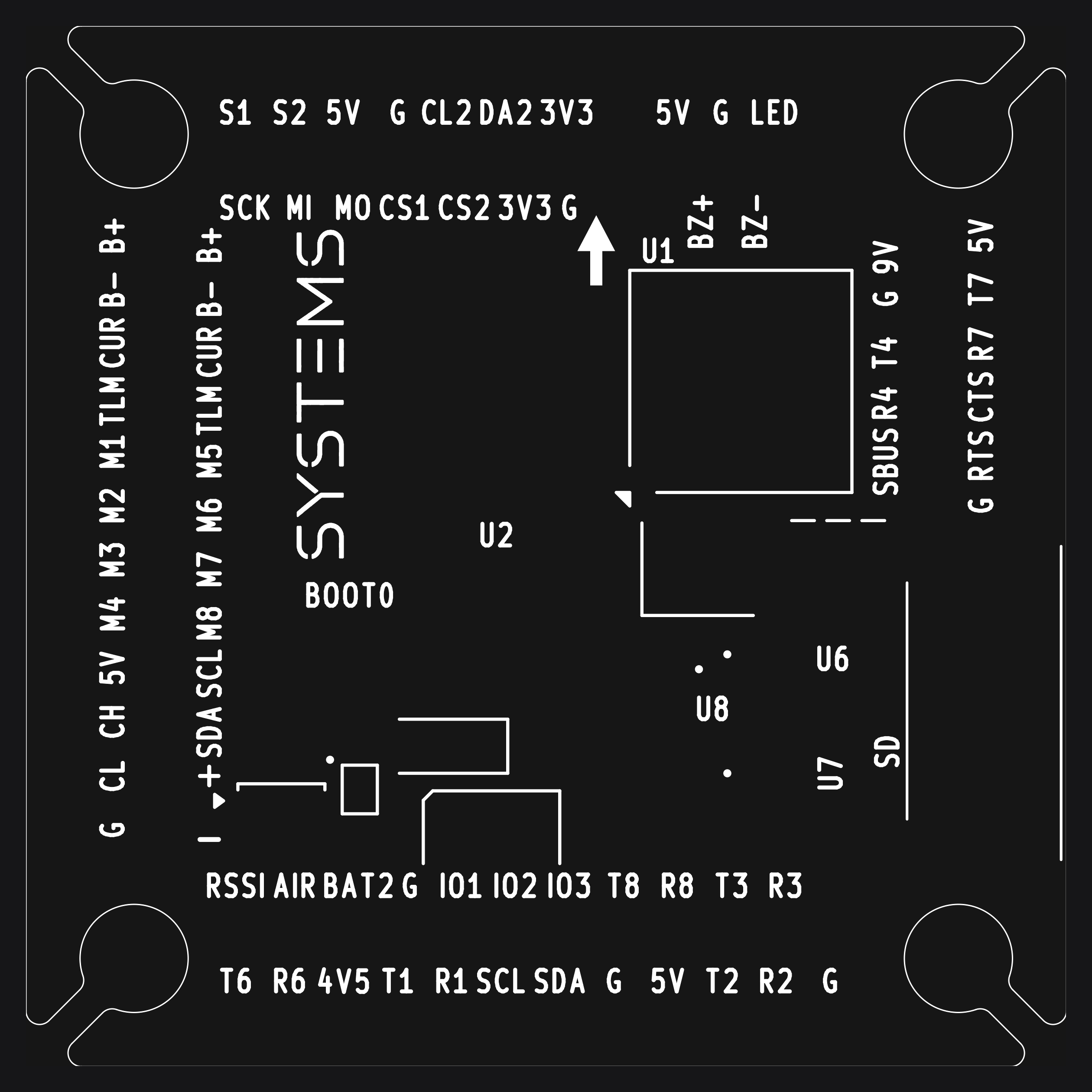
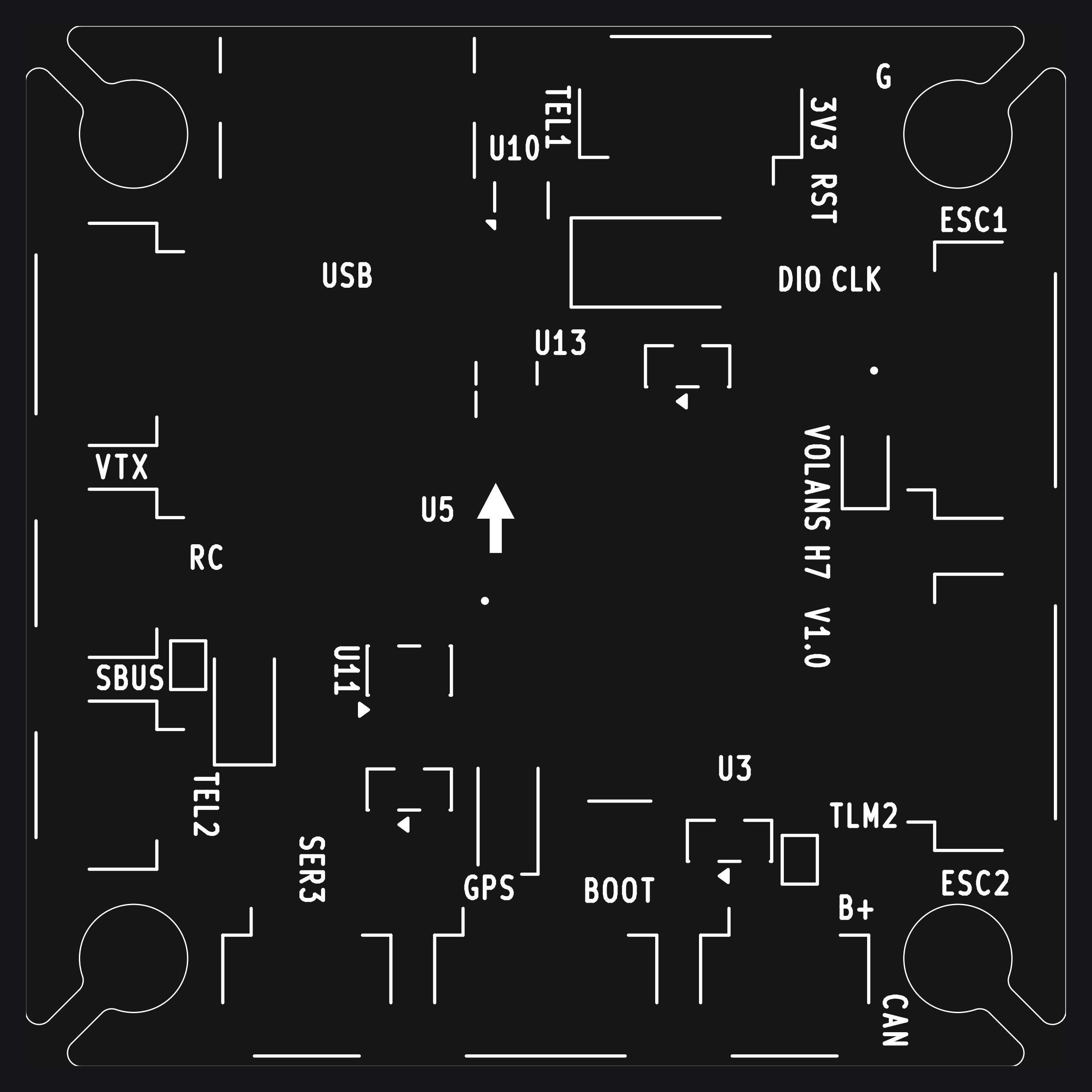
Numbers below are KiCad electrical pin numbers. Confirm the mating orientation before making a cable. Shared UART and jumper functions depend on configuration.
BEFORE YOUR FIRST CONNECTION
Send the board revision and a clear top/bottom photograph when requesting support.
Confirm the board target, release and flashing steps. For ADRC, request ArduPilot guidance for the H7.
Check supply limits, connector pin orientation and peripheral requirements with Volans before powering the board.
H7 / FIRMWARE
Four supported platforms.
ADRC through ArduPilot.
H7 support, including Active Disturbance Rejection Control (ADRC).
SUPPORTED · ADRCSupported on the Volans H7.
SUPPORTEDSupported on the Volans H7.
SUPPORTEDSupported on the Volans H7.
SUPPORTEDUse the build for your H7 board revision. Contact Volans for the target name, tested release and flashing instructions.
ACTIVE DISTURBANCE REJECTION CONTROL
Your control approach is part of your aircraft design.
Volans H7 supports Active Disturbance Rejection Control through ArduPilot. Talk to the team about the matching build, configuration and tuning for your aircraft.
A FEW THINGS TO KNOW
VOLANS H7 / PREORDER